
Know where tension hides
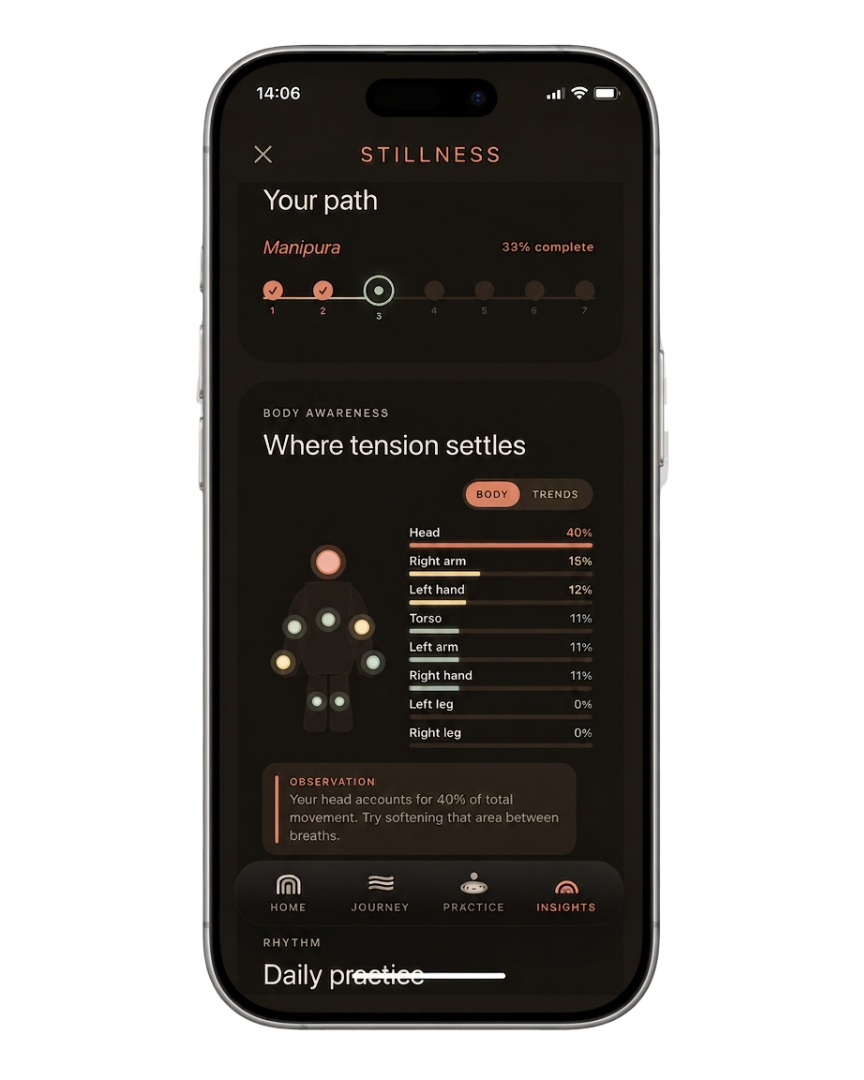
Feeds, pings, mental load — it all lands somewhere in your body. Capi maps your movement and lets you watch that tension shift.
Meet Capi
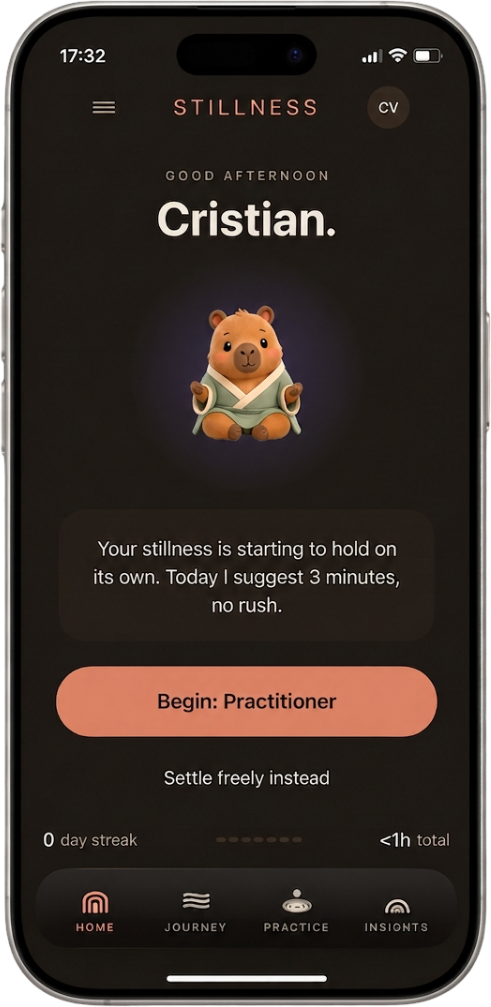
Open the app, sit with Capi. He tracks your body in real time — so you discover where you hold tension and how your stillness grows.
So the next time your mind starts spiraling, your body knows the way back.

Capi keeps the practice soft, steady, and a little less lonely.
When still feels hard
Three things most calm apps skip.
Feeds, pings, mental load — it all lands somewhere in your body. Capi maps your movement and lets you watch that tension shift.
No more guessing whether the quiet was real. Capi measures real stillness and shows you the difference.
Capi guides you, celebrates progress, and keeps you coming back. No meditation experience needed.

The practice loop
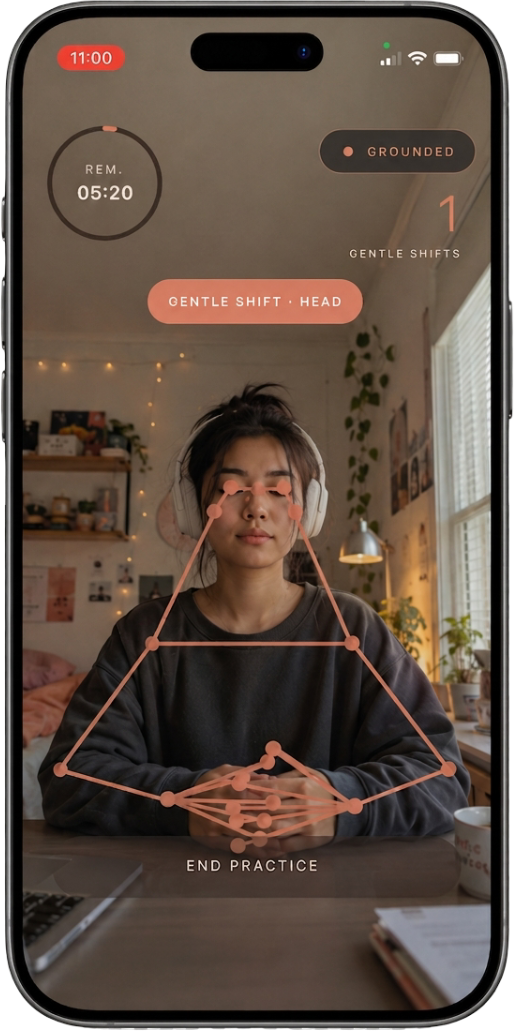
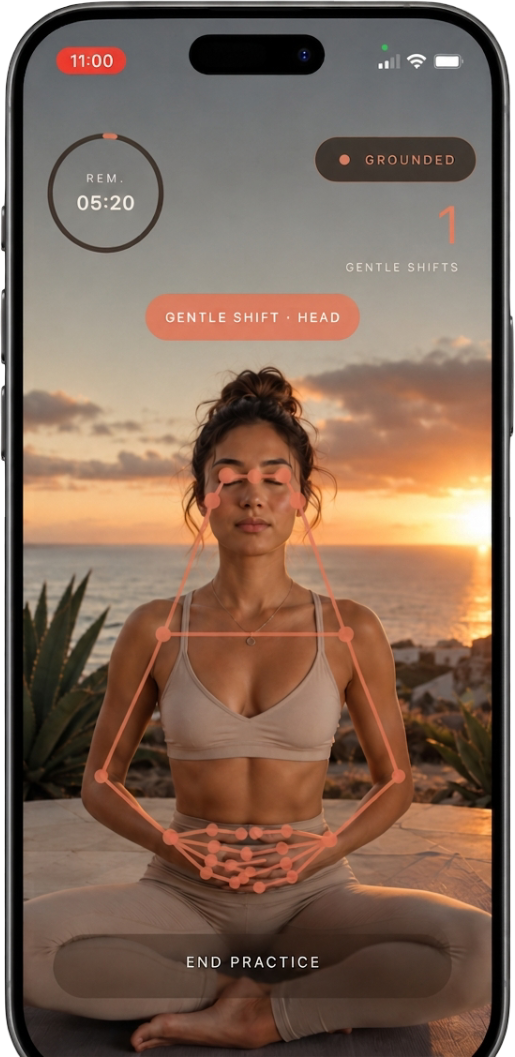
Use Stillness from your desk chair, a cushion, a mat, or wherever you need a quick reset. Choose a method, place your phone upright, and let Capi's voice guide you back whenever your body starts to drift.


Choose a level or free practice.
Set your phone upright.
Move about one meter back.
Stay still while Capi supports you.
Your path, one level at a time
Capi walks you through each one — a little deeper, a little stiller. Every level unlocked is progress worth sharing.
Find the first baseline.
Notice the impulse to move.
Stay with the practice longer.
Let the body soften.
Hold steadiness through friction.
Trust the quiet window.
Make stillness a mark.
Your rhythm
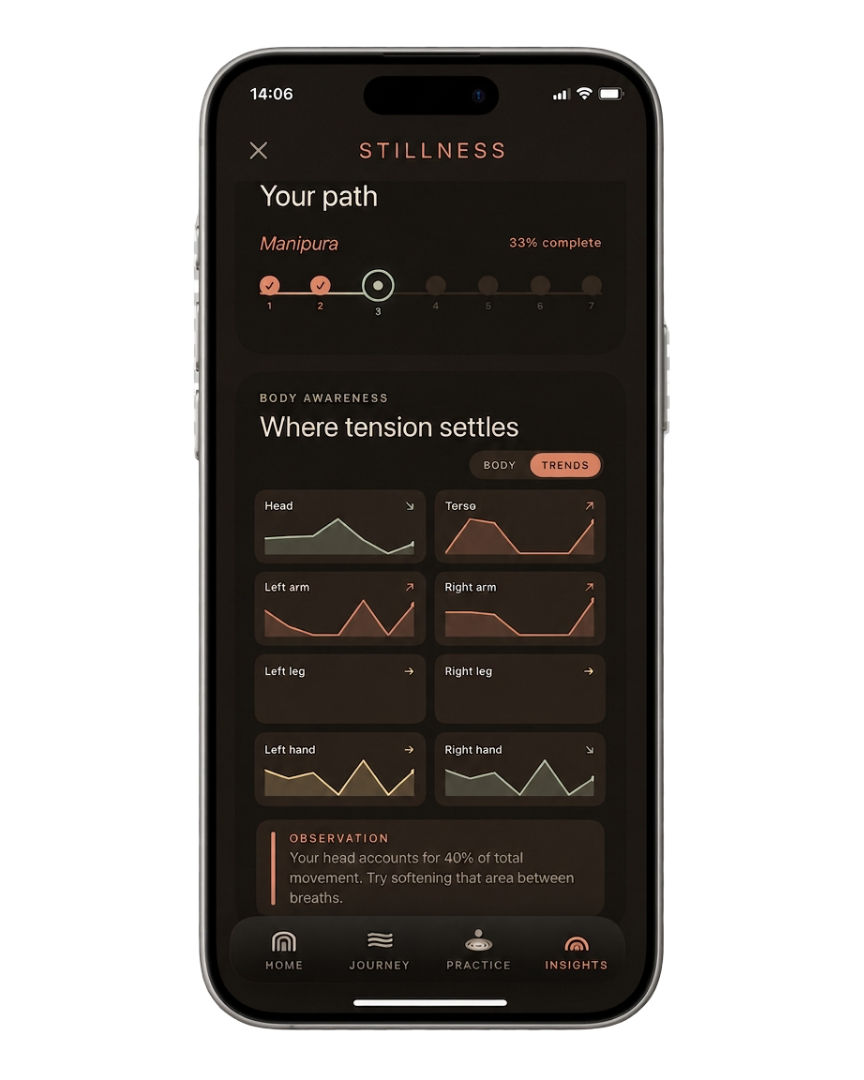
Some days your body settles fast. Other days it needs more support. Over time, you start to see what actually helps you settle, when your body feels calmer, and how far you’ve come since your first sit with Capi.
Your data stays on your device. Camera frames are not recorded.
Built for
Capi meets you wherever the restlessness lives. He reads your body, finds what's noisy, and guides you back to quiet.
When your brain is loud, your tabs are full, and your body can’t find the off switch.
When meditation sounds nice, but you need a simpler place to start.
For people who already sit, but want to see when the body drifts, leans, or gets restless.
For people who like tracking their sits, saving milestones, and sharing the calm they’re building.
Questions
No perfect pose. No meditation experience required. Here’s what to know before you open Stillness and sit with Capi.
No. Stillness is made for people who want a simple way to find quiet, whether you sit at a desk, on a cushion, on a mat, or wherever you need a reset.
Place your iPhone upright about one meter away so the camera can see your torso. Stillness detects body points and small movements during your sit.
No. Camera frames are processed on device for movement and pose detection. Stillness does not store or transmit video recordings to its servers.
Headphones are recommended so you can hear Capi’s voice more clearly as it helps you stay calm, but they are not required. You can also use Stillness without sound.
No. Stillness is a calm and body-awareness practice tool. It does not diagnose, treat, or replace professional care.
Stillness is available for iPhone on the App Store.